 USA
USA UK
UK AU
AU UAE
UAE India Dev Centre
Most Dynamics 365 projects don't fail because of bad software. They fail because someone said "yes" to a customization request that should have been a configuration change — and six months later, a Microsoft release wave breaks three business-critical workflows. If you're running Dynamics 365 or evaluating it right now, the decision you make about how to extend it will define your upgrade risk, your operational costs, and your team's sanity for years to come.
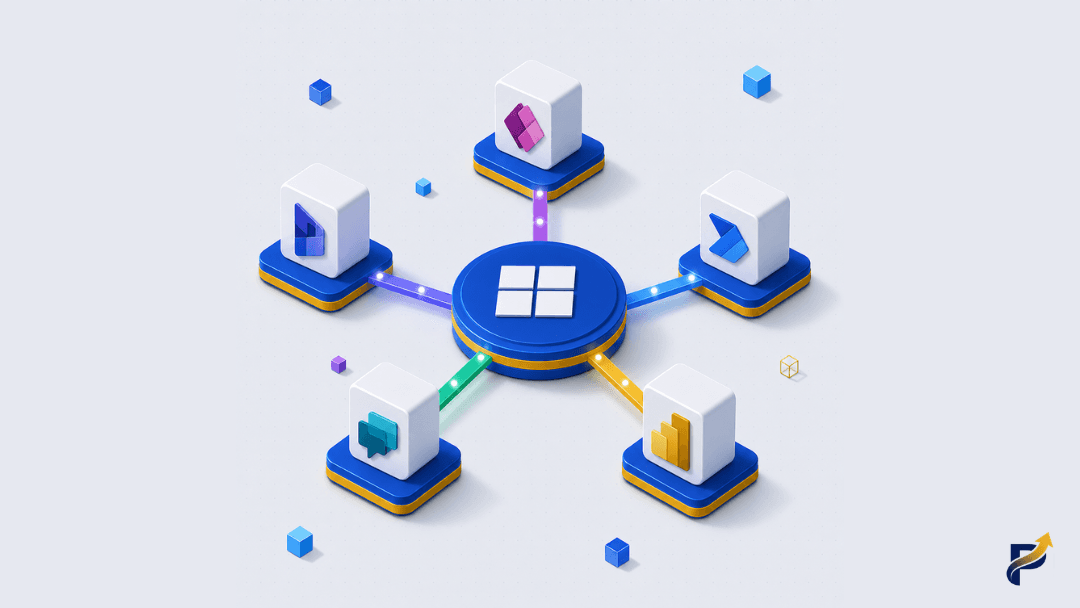
The "Configure First" Mandate and Why Microsoft Made It Non-Negotiable
Microsoft's guidance on extending Dynamics 365 has grown more explicit every year, but 2025 marked a turning point. With Power Platform integration becoming mandatory for all Dynamics 365 Finance & Operations environments as of May 2025, every organization running these systems now has a formal extensibility architecture to manage — whether they planned for it or not.
The principle is straightforward: configure first, customize second. In plain English, this means you should exhaust every built-in setting, form editor, business rule, and Power Automate flow before writing a single line of custom code. According to Microsoft's implementation guidance (2025), over-customization is one of the primary drivers of technical debt, upgrade complications, and long-term maintainability problems in Dynamics 365 deployments.
Why does this matter for your business? Because every unsupported customization you add is a liability you'll pay for when Microsoft ships its next release wave. And Microsoft ships two major waves per year. If your Dynamics 365 instance is heavily modified with custom code that sits below the platform layer, those updates can break your workflows, your integrations, and your reporting — often requiring expensive emergency development work to patch.
Here's what many organizations miss: configuration isn't a consolation prize for teams that can't code. In 2025 and 2026, Microsoft's configuration tooling has become genuinely powerful. Business rules, calculated fields, Power Automate cloud flows, model-driven app customizations, and AI-powered process automation now handle use cases that required bespoke development just three years ago. The Microsoft Dynamics 365 2026 Release Wave 1 plans double down on this investment, expanding AI-powered automation and governance tooling that makes configuration-first approaches more capable than ever.
From our experience implementing Dynamics 365 for manufacturing and distribution companies across South Asia and the Middle East, the teams that resist this principle are almost always reacting to pressure from internal stakeholders who equate "customized" with "professional." That's a costly misconception. A well-configured Dynamics 365 environment that upgrades cleanly is worth far more than a heavily customized one that demands a developer on-call every time Microsoft pushes an update.
Mapping the Extensibility Spectrum: From No-Code to Full Pro-Code
Understanding where your requirement sits on the extensibility spectrum is the most practical skill any IT decision-maker can develop. Think of it as a ladder: you climb only as high as your actual need requires. The higher you go, the more maintenance overhead you accept.
The table below maps the major extensibility options, their appropriate use cases, licensing implications, and upgrade safety — giving you a framework you can use in your next internal planning meeting.
| Extensibility Layer | Typical Tools | Best For | Upgrade Safety | Licensing Consideration |
|---|---|---|---|---|
| Configuration | Forms, Business Rules, Security Roles, Views | Personalisation, field visibility, basic workflows | Highest — fully supported | Included in D365 base licence |
| Low-Code Automation | Power Automate Cloud Flows | Approval workflows, notifications, data sync | High — flows sit above platform | Power Automate per-user or per-flow plan |
| Low-Code Apps | Power Apps Canvas or Model-Driven Apps | Tailored frontends, mobile interfaces | High — apps are separate layer | Power Apps per-app or per-user licence |
| Dataverse Extensions | Plugins, custom tables, PCF controls | Complex business logic, custom UI components | Medium — requires managed solutions | Included with D365, Dataverse Plan for standalone |
| Pro-Code / Azure | Azure Functions, custom APIs, ISV solutions | Deep integrations, high-volume processing | Lower — requires active maintenance | Azure consumption + dev overhead |
A few things stand out from this framework. First, Dataverse — Microsoft's unified data platform that underpins all Dynamics 365 and Power Apps data — sits at the heart of the middle ground. Using Dataverse custom tables and plugins gives you meaningful flexibility without abandoning the managed solution model, which preserves upgrade compatibility better than older customization approaches. As Microsoft's extensibility guidance explains, the goal is to keep customizations in the supported extensibility layer so Microsoft's update mechanisms don't treat them as conflicts.
Second, licensing is where many SMEs get an unpleasant surprise. Building a Power Apps canvas app for your field technicians sounds straightforward until you realize that premium connectors — the links between your app and external systems like SAP, Salesforce, or even some Azure services — require a Power Apps premium licence per user. For a team of 50 field staff, that cost is material. Understanding whether your integration requirements trigger premium connector licensing before you commit to an architecture can save you thousands annually.
Third, the "upgrade safety" column is the one your IT manager should care about most. Lower upgrade safety doesn't mean "don't do it" — it means "budget for maintenance." Some business requirements genuinely justify pro-code Azure solutions. But you should go in with clear eyes about what that decision costs over a three-year horizon.
What the 2026 Data Tells Us About Customization Risk
Numbers give decisions weight. Here's what the current landscape tells us about the stakes involved in extending Dynamics 365.
Microsoft's 2026 Release Wave 1, announced in late 2025, represents one of the largest single investments in Power Platform extensibility governance tooling the company has made. The wave introduces mechanisms that actively help organizations track their customization complexity, enforce configuration-first policies across environments, and maintain visibility into technical debt accumulation — a clear signal that Microsoft considers runaway customization a platform-level problem, not just a best-practice issue. You can review the full scope of these investments in the Dynamics 365 release plans documentation.
From our own project portfolio, the pattern is consistent: organizations that arrive with heavily customized on-premise Dynamics deployments take, on average, 40–60% longer to complete cloud migrations than those with clean, configuration-forward implementations. That's not a Microsoft statistic — it's a pattern we've observed directly across engagements in manufacturing, professional services, and retail distribution. The extra time translates directly into extra cost: more developer hours, more testing cycles, more stakeholder alignment meetings when familiar workflows behave differently post-migration.
AI-powered automation capabilities introduced across Power Platform in 2025–2026 are shifting the calculation further. Copilot-assisted flows, intelligent document processing, and AI Builder models now automate routine business processes that previously required custom plugin development. This isn't hypothetical — we've seen warehouse receiving workflows, invoice approval chains, and customer onboarding sequences move from complex custom code to supervised Power Automate flows with AI triggers, reducing development time by over half and maintenance overhead by more.
Here's a counter-intuitive observation worth sitting with: the organizations most likely to over-customize Dynamics 365 are often the ones with the most experienced internal developers. When you have skilled developers available, the temptation to build a custom solution to every problem is strong — it feels faster, more controlled, and more aligned with existing skills. But speed of initial build is not the same as long-term total cost of ownership. Configuration-first thinking is actually a discipline that experienced developers need to consciously practice, not something that comes naturally.
A Practical Decision Framework: When to Configure, When to Build
So how do you actually decide? Here's the decision logic we apply at the start of every Dynamics 365 scoping engagement.
Start with the standard capability audit. Before any customization conversation, document what Dynamics 365 already does out of the box for each requirement. You'd be surprised how often a "we need a custom solution for X" request dissolves when a consultant shows the stakeholder the native form editor or Power Automate template library.
If native configuration doesn't cover it, ask four qualifying questions:
- ▸Does this process involve data that lives outside Dataverse? If yes, consider a Power Automate flow with a connector rather than custom code.
- ▸Does this need a user interface that's meaningfully different from the standard Dynamics forms? If yes, a Power Apps canvas app — a custom-built screen your team uses, separate from the main Dynamics interface — is usually the right answer.
- ▸Does this involve complex business logic that must execute server-side, such as real-time validation, automated record creation chains, or calculations on data save? If yes, a Dataverse plugin (a small piece of code that runs inside the platform itself) is appropriate.
- ▸Does this require integration with an external enterprise system at scale — high volume, near-real-time, with complex error handling? If yes, Azure Functions or a middleware integration layer is justified, but budget accordingly.
One practical governance step that many growing businesses overlook: once citizen developers — people in your business without formal IT roles who build Power Apps or flows — start shipping solutions, you need a Centre of Excellence (CoE) in place. Microsoft provides a CoE Starter Kit through the Power Platform adoption resources that gives your IT team visibility into what's been built, who built it, and what licences it consumes. Without this, you accumulate invisible technical debt across dozens of departmental apps that nobody officially owns.
PapaSiddhi perspective: We recommend treating every Power Automate flow built by a business user as a "soft asset" that needs a named technical owner within six months of creation. Flows that have no owner get abandoned, break quietly, and create data integrity problems that are expensive to diagnose.
A forward-looking prediction for 2027: as Microsoft's Copilot capabilities mature further inside Dynamics 365, the threshold for what counts as "configuration" will rise significantly. Natural language-driven process automation will handle use cases that currently require plugin development, pushing the practical customization boundary further up the stack. Organizations that build configuration-first disciplines now will be positioned to absorb these capabilities with minimal disruption. Those locked into deep custom code will face another painful remediation cycle.
How PapaSiddhi Can Help
Navigating the line between configuring Dynamics 365 and building something custom is genuinely difficult without hands-on platform experience — and getting it wrong has real financial consequences for your business.
PapaSiddhi Technologies provides dedicated Dynamics 365 and Power Platform developers who work inside your team on your timeline. Our specialists cover the full extensibility stack: configuration and business rules, Power Apps model-driven and canvas app development, Power Automate flow design, Dataverse plugin development, and Azure integration architecture. We also offer IT outsourcing engagements structured for growing businesses that need senior expertise without the cost of a full-time hire.
For teams that are earlier in the journey, we help establish governance frameworks — including CoE setup — before citizen developers start creating ungoverned technical debt. And if you need AI-powered automation built into your Dynamics workflows, our AI/ML development team works alongside your Power Platform resources to deliver solutions that are genuinely maintainable.
You don't need a large internal IT team to work with us. Our 48-hour onboarding promise means your dedicated developer is up and running within two business days, and our free replacement guarantee ensures you're never stuck with a skills mismatch. Businesses across the UK, Middle East, and Southeast Asia trust us with exactly this kind of nuanced platform work. Book a free consultation and let's map out the right extensibility approach for your Dynamics 365 environment.
Conclusion
Extending Dynamics 365 well is less about technical capability and more about decision discipline. The platform gives you a remarkable range of options — from zero-code configuration to full Azure-backed custom development — but each step up that ladder carries real costs in upgrade risk, maintenance overhead, and licensing. The organizations that get this right treat "configure first" not as a limitation but as a long-term investment in a system that stays current, stays stable, and stays affordable to run. Start with what the platform already does. Build only what you genuinely can't configure. And govern what your team builds before it governs you.
Frequently Asked Questions
Common questions about extending dynamics 365 with answered by the PapaSiddhi expert team.