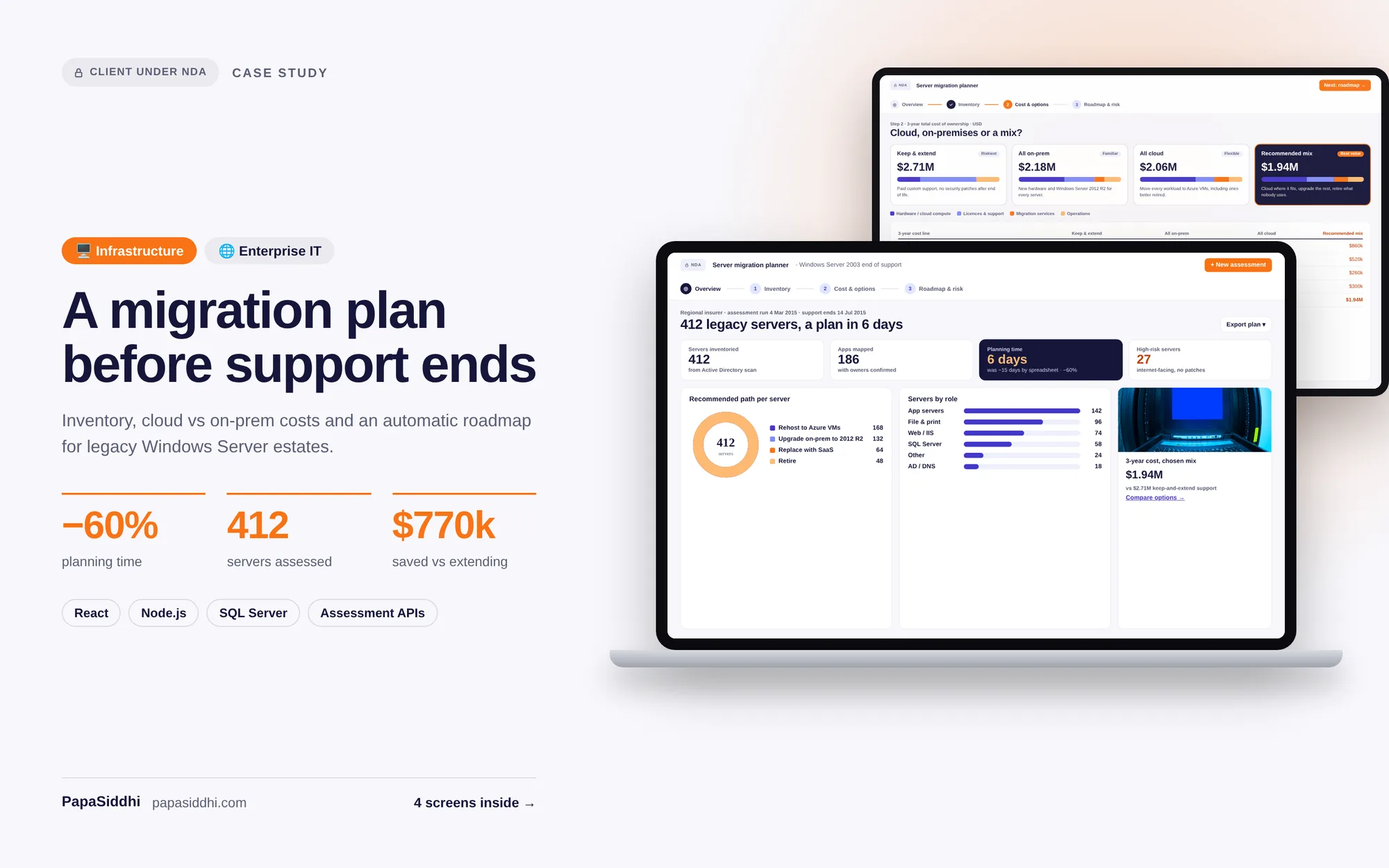
Enterprise
Legacy Windows Server Migration Planning Tool for Enterprise IT
Used by enterprise IT teams across multiple countries to plan and execute successful migrations.
ReactNode.jsSQL Server
Global·Decision Support ToolView Study →
A comprehensive information and resource portal designed to help enterprise IT teams and business users discover, evaluate, and implement Microsoft SharePoint solutions for collaboration and intranet needs.
Became a trusted reference portal for SharePoint evaluation and adoption.
Project Highlights
Scalable Architecture
Built for growth — Information Portal designed to scale
Secure & Compliant
Enterprise-grade security and data protection standards
Measurable ROI
SharePoint confusion → Clear adoption pathway
Global Delivery
Delivered for a Global-based Enterprise client
Tech Stack
Last updated:
Industry
Enterprise
Sector
Microsoft SharePoint
Region
Global
Project Type
Information Portal
The client is an organisation offering Microsoft SharePoint consulting and implementation services to enterprises worldwide. Its prospects range from IT managers planning a new intranet to business leaders looking to replace shared drives with structured document management, and each arrives with different questions, priorities and levels of technical knowledge. Some are technical evaluators; others simply need to know whether the platform fits their way of working.
Because SharePoint can be configured for intranets, team collaboration, records management and business process automation, buyers often struggle to see how it maps to their own needs. The client recognised that helping organisations understand SharePoint clearly, before any sales conversation, would build trust and bring better-prepared prospects to its implementation team. A dedicated, structured resource portal was the vehicle for that.
This project was delivered under a Non-Disclosure Agreement. The client operates in the Enterprise sector (Microsoft SharePoint) and is based in Global.
Organisations evaluating SharePoint faced an overwhelming volume of documentation, community posts and conflicting advice spanning SharePoint Online, SharePoint Server versions and the wider Microsoft 365 ecosystem. It was hard for a non-specialist to tell which guidance applied to their situation, and many evaluations stalled or ended with the wrong expectations. Projects that did proceed sometimes began with misaligned scope.
Buyers were especially uncertain whether SharePoint would meet their specific collaboration and document management requirements, what implementation would realistically involve, and how licensing worked. For the client, this confusion translated into long sales cycles, with early conversations spent on basic education rather than solution design, and inbound enquiries that varied widely in quality.
SharePoint confusion
Clear adoption pathway
PapaSiddhi developed a structured discovery and evaluation portal using React for the front end, Node.js for the application layer and SQL Server for content, calculator data and lead capture. Integration with the Microsoft Graph API and SharePoint REST API keeps the portal technically grounded in how SharePoint actually works and supports live demonstrations of capability.
Content is organised by organisational role and need. Role-based SharePoint use case discovery guides visitors to scenarios relevant to them, while a capability comparison and feature matrix sets out what different options can do. An implementation complexity and cost estimator and an ROI and business value calculator help prospects frame realistic budgets and benefits for their own environment.
A curated best practice resource library and a SharePoint version and licensing guide answer the questions that usually consume early sales calls. Together, these elements give visitors a clear adoption pathway and give the client a steady stream of informed, qualified enquiries. Enquiry forms capture the visitor's role and areas of interest, so the implementation team can open conversations with useful context already in hand.
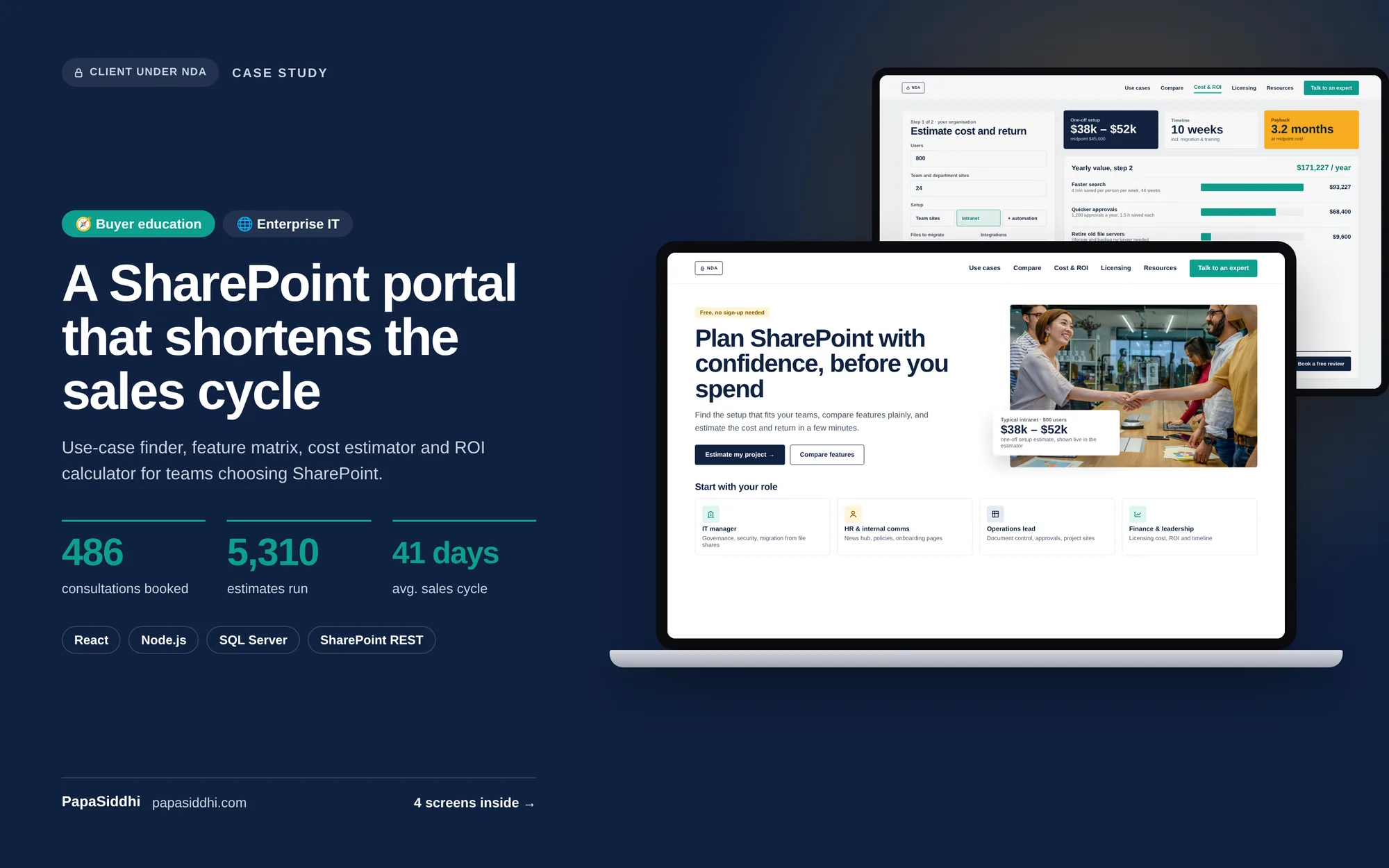
Became a trusted reference portal for SharePoint evaluation and adoption. Generated significant qualified inbound leads for SharePoint implementation services and reduced sales cycle length through better-informed prospects.
Transformation Summary
SharePoint confusion → Clear adoption pathway
This project was delivered under a Non-Disclosure Agreement (NDA). Specific client details, business data, proprietary workflows, and project credentials remain confidential. Screenshots and live URLs are available upon mutual NDA execution.
Request an NDA to see full detailsCorrect — this was an evaluation and decision-support portal for organisations weighing SharePoint, not a SharePoint intranet implementation. If you need an actual intranet built on SharePoint, that is separate work we also do; this project solved the problem that comes before it.
Prospects arrived already understanding whether SharePoint fit their requirements, so the first sales conversation started from scope rather than education. That is a large part of why it generated qualified leads rather than volume — it filtered out poor-fit prospects before they consumed consultant time.
Content ownership needs to sit with someone internal who follows the product, because Microsoft 365 changes continuously and outdated guidance damages the credibility the portal depends on. The platform makes updating easy; the commitment to update is the part organisations underestimate.
Because the person evaluating SharePoint usually has to justify it to someone controlling budget, and a capability comparison does not do that. Giving them the financial argument in a shareable form is what converts an interested practitioner into an internal advocate.
Around two to three months for the platform, with content development running alongside and often extending beyond it. Content is nearly always the critical path on reference portals, so we recommend starting content production in parallel with design rather than after build.
Let's discuss your project and create a success story together.
Enterprise
Used by enterprise IT teams across multiple countries to plan and execute successful migrations.
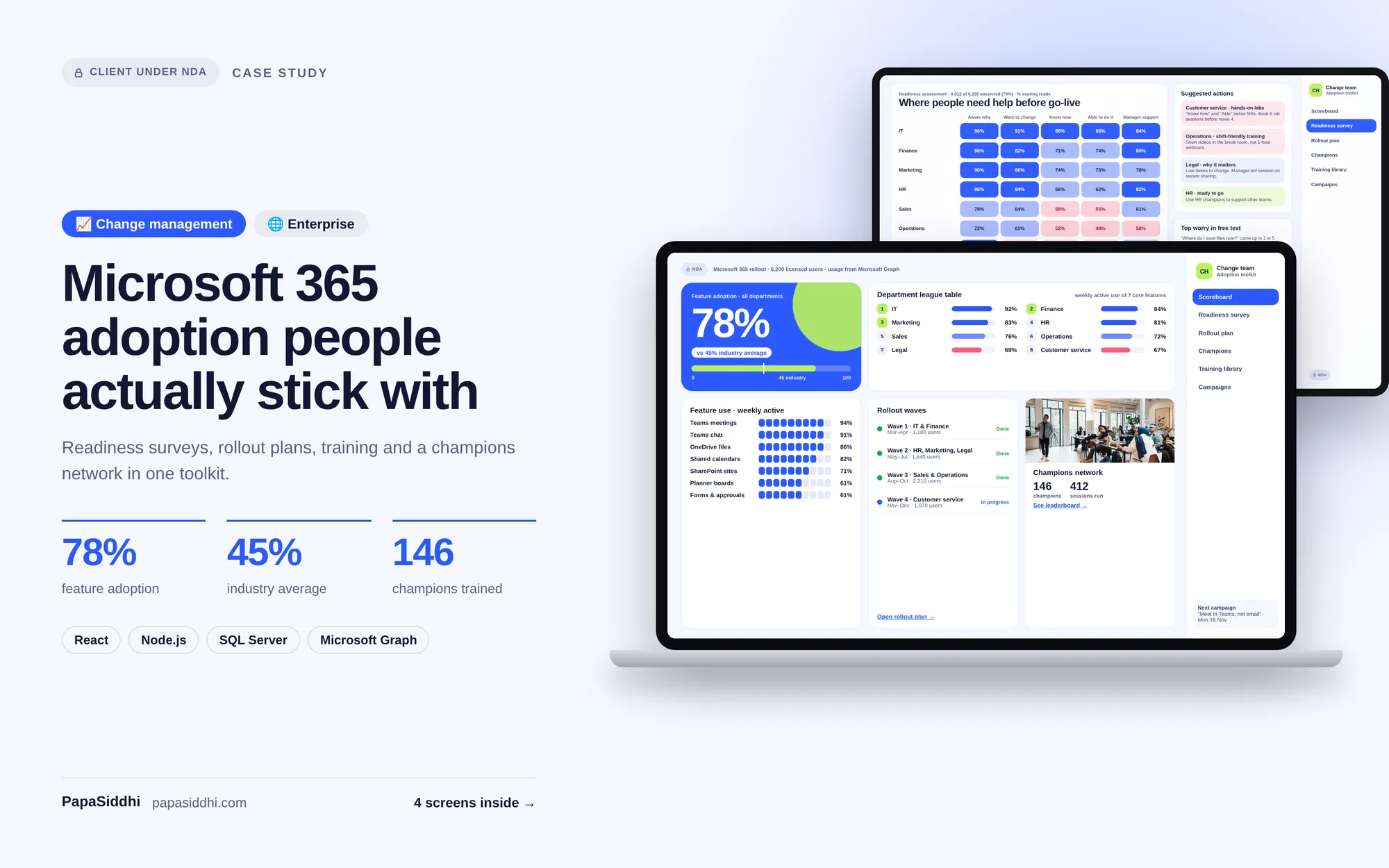
Enterprise
Helped enterprise clients achieve average M365 feature adoption rates of 78% (vs industry average of 45%).
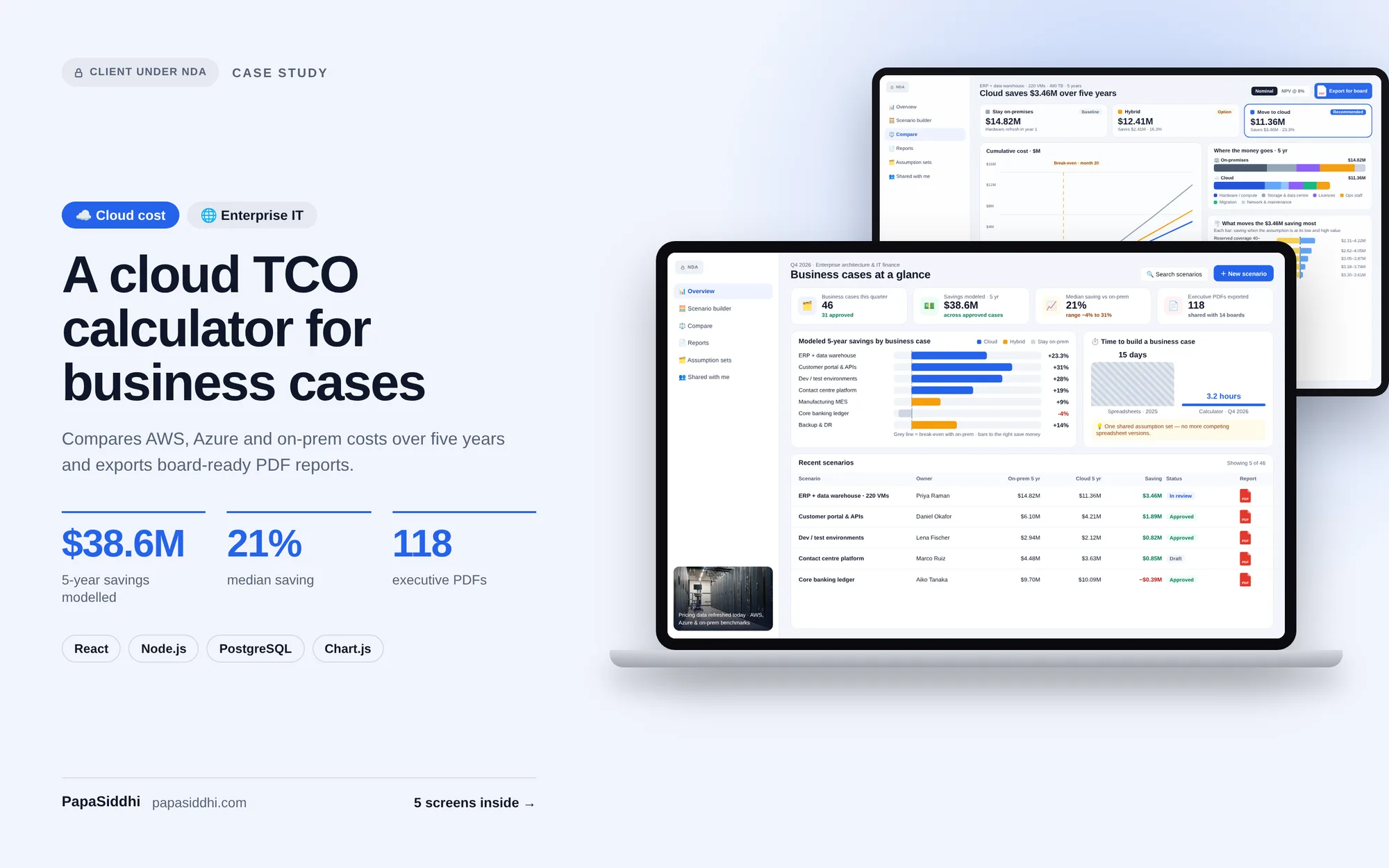
Enterprise
Adopted by enterprise technology teams to support board-level investment decisions.