Technology
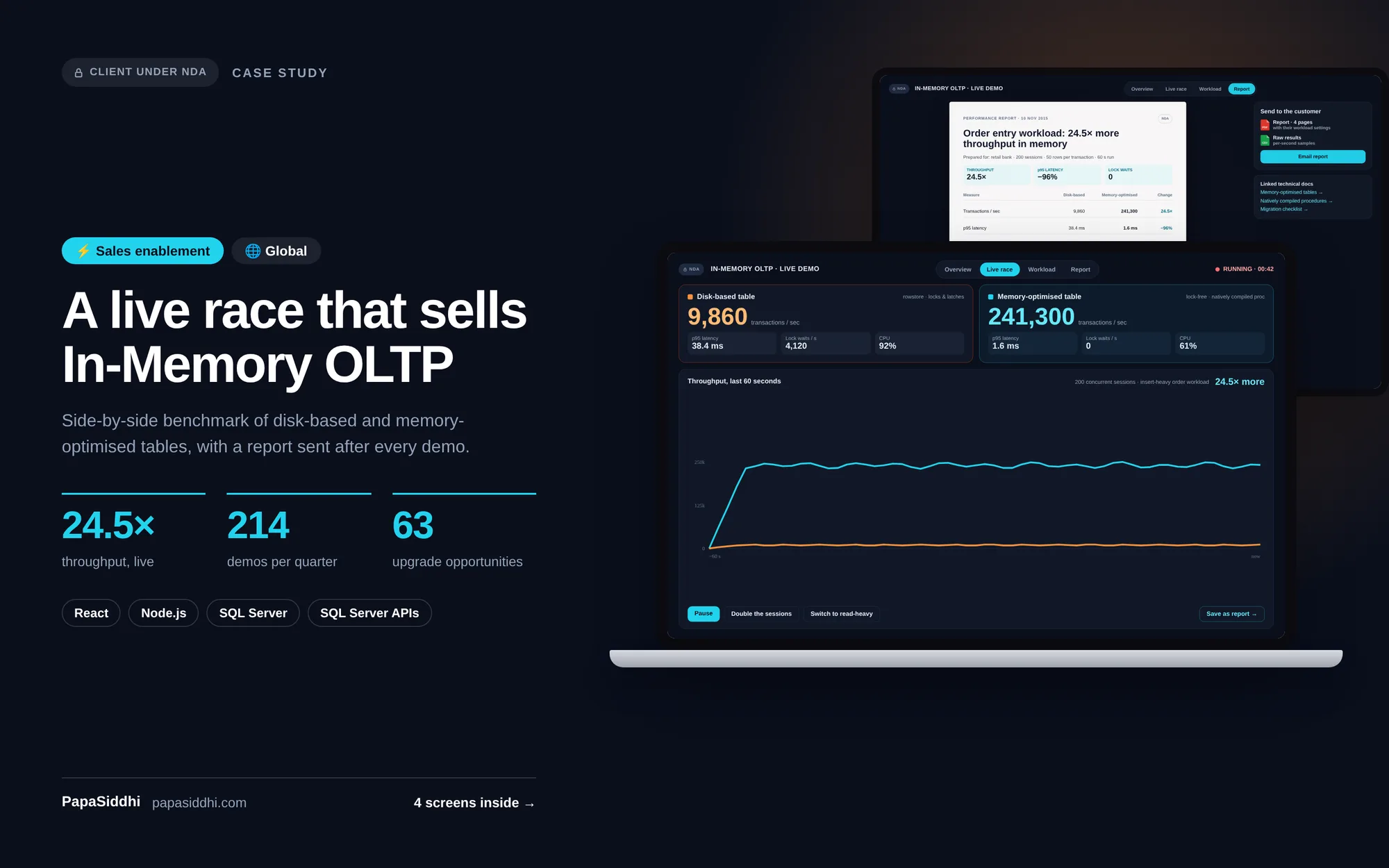
In-Memory OLTP Database Demo Tool for Database Professionals
Significantly improved enterprise adoption rates for Hekaton technology.
ReactNode.jsSQL Server
Global·Technical Demo ToolView Study →
A comprehensive technical documentation and learning portal for Microsoft SQL Server 2014 — providing structured guides, interactive examples, and certification preparation resources for database professionals.
Became a go-to resource for SQL Server 2014 adoption, achieving high organic search rankings for technical queries.
Project Highlights
Scalable Architecture
Built for growth — Documentation Portal designed to scale
Secure & Compliant
Enterprise-grade security and data protection standards
Measurable ROI
Fragmented docs → Structured learning portal
Global Delivery
Delivered for a Global-based Technology client
Tech Stack
Last updated:
Industry
Technology
Sector
Developer Education
Region
Global
Project Type
Documentation Portal
The client is a global enterprise software organisation supporting a worldwide community of database administrators, developers and architects working with Microsoft SQL Server. The project centred on SQL Server 2014, a release that introduced substantial new capabilities, including In-Memory OLTP, updatable columnstore indexes and deeper hybrid cloud integration with Azure.
For a platform used across industries and continents, adoption of a new release depends heavily on how quickly professionals can understand and apply it. Clear, discoverable documentation reduces the friction of upgrading, lowers support demand and helps practitioners build confidence and skills. A modern learning portal was therefore a strategic tool for accelerating uptake of the release.
This project was delivered under a Non-Disclosure Agreement. The client operates in the Technology sector (Developer Education) and is based in Global.
Documentation for the new release existed, but it was fragmented across multiple sites, blog posts and downloadable papers. Database professionals struggled to find authoritative answers, follow a logical learning sequence or see how new features applied to real implementation scenarios.
The audience was also highly varied. Junior developers needed foundational guidance, while senior DBAs wanted deep technical reference and performance tuning detail. A single flat documentation structure served neither group well, and there was no way to track progress or prepare systematically for professional certification.
Gaps in accessible self-service content pushed many routine implementation questions into support channels, increasing ticket volume and slowing adoption.
Fragmented docs
Structured learning portal
PapaSiddhi Technologies developed a structured documentation and learning portal using React for a responsive reading experience, Node.js for the content and search services, and SQL Server as the underlying data store. Content is drawn in through the Microsoft Documentation API and organised into a categorised technical library spanning administration, development, performance and business intelligence topics.
Interactive SQL code examples and sandboxes let readers run and modify queries in context, turning static reference pages into hands-on exercises. Searchable content with intelligent filtering by topic, version feature and skill level helps users find precise answers quickly.
A learning path system guides professionals from fundamentals to advanced topics, supporting certification preparation, while downloadable cheat sheets and reference guides serve as quick desk references. Community Q&A integration connects documentation pages with practitioner discussion, so common questions are answered alongside the official guidance.
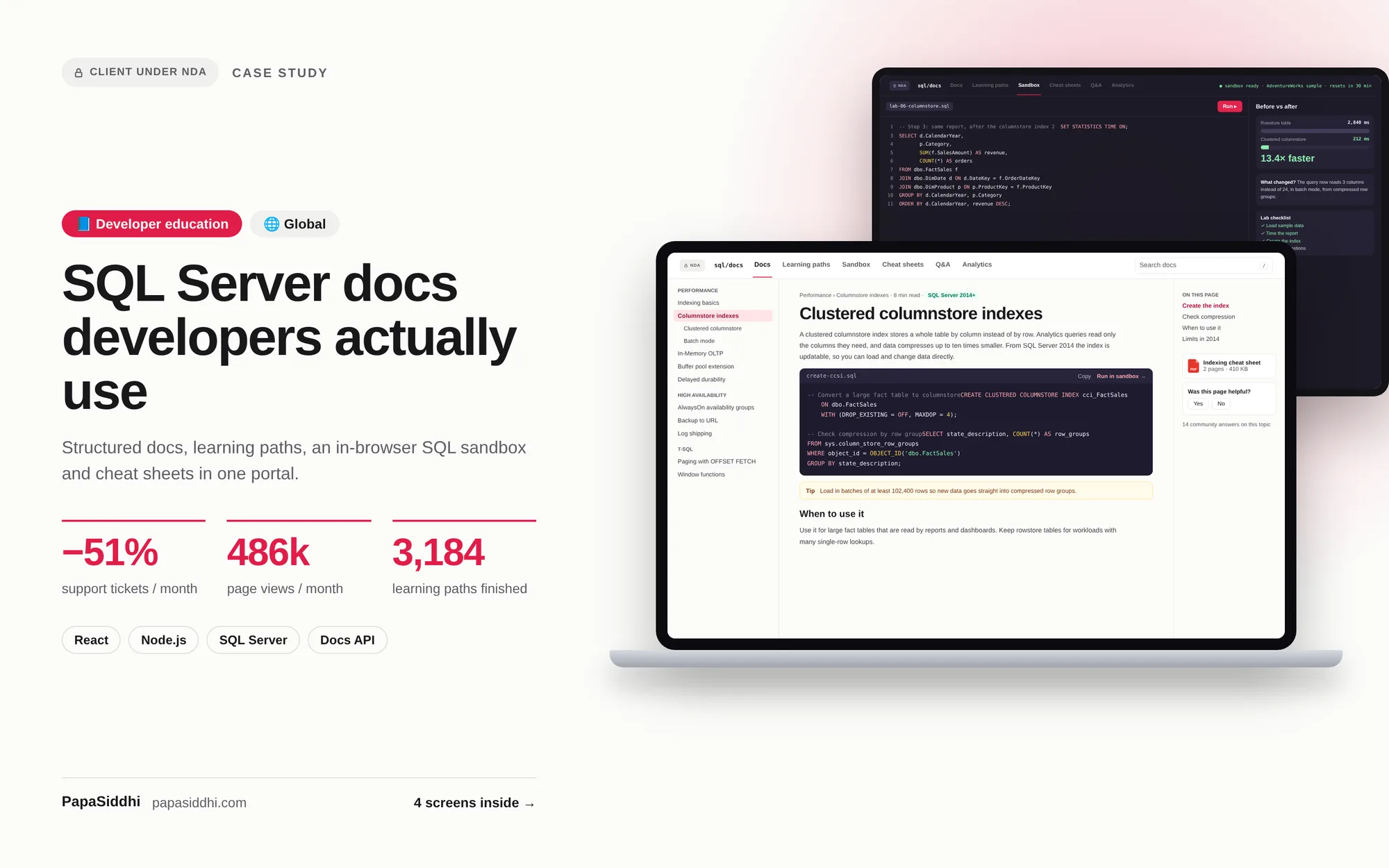
Became a go-to resource for SQL Server 2014 adoption, achieving high organic search rankings for technical queries. Significantly reduced support ticket volume by providing self-service answers to common implementation questions.
Transformation Summary
Fragmented docs → Structured learning portal
This project was delivered under a Non-Disclosure Agreement (NDA). Specific client details, business data, proprietary workflows, and project credentials remain confidential. Screenshots and live URLs are available upon mutual NDA execution.
Request an NDA to see full detailsStandard documentation tools handle content well but not learning paths, interactive code examples and role-based progression, which was the actual requirement here. If you only need structured reference content, an off-the-shelf platform is cheaper and we would recommend it.
Search was treated as a primary feature rather than a header widget, because fragmented, unsearchable documentation was the original problem. Content is structured and categorised so search returns the right section rather than a list of pages, which is what reduced support ticket volume.
Content migration is its own workstream and usually the longest part of these projects. We migrate structurally rather than dumping text — mapping existing content into the new taxonomy is what makes it findable, and it is worth auditing what to retire rather than migrating everything by default.
Version handling needs to be designed in from the start, because retrofitting it into a flat content structure is expensive. It is a common requirement for technical documentation and entirely achievable, but it should be raised during scoping rather than after launch.
The platform itself needs relatively little, but the content needs continuous ownership — documentation that drifts out of date does more harm than none at all. Most organisations underestimate this and it is worth assigning internal ownership before launch rather than after the content goes stale.
Let's discuss your project and create a success story together.
Technology
Significantly improved enterprise adoption rates for Hekaton technology.
Enterprise
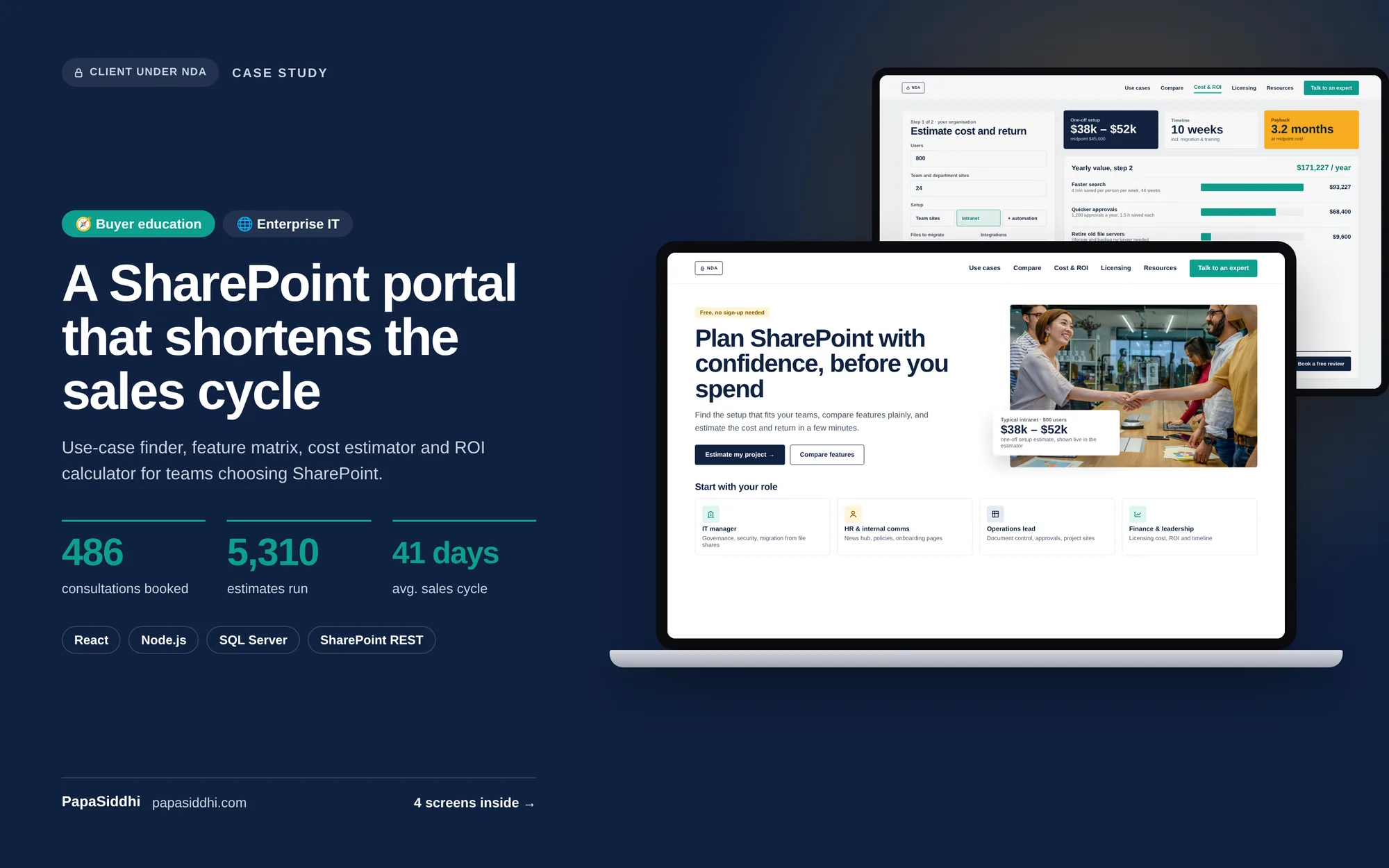
Became a trusted reference portal for SharePoint evaluation and adoption.
Enterprise
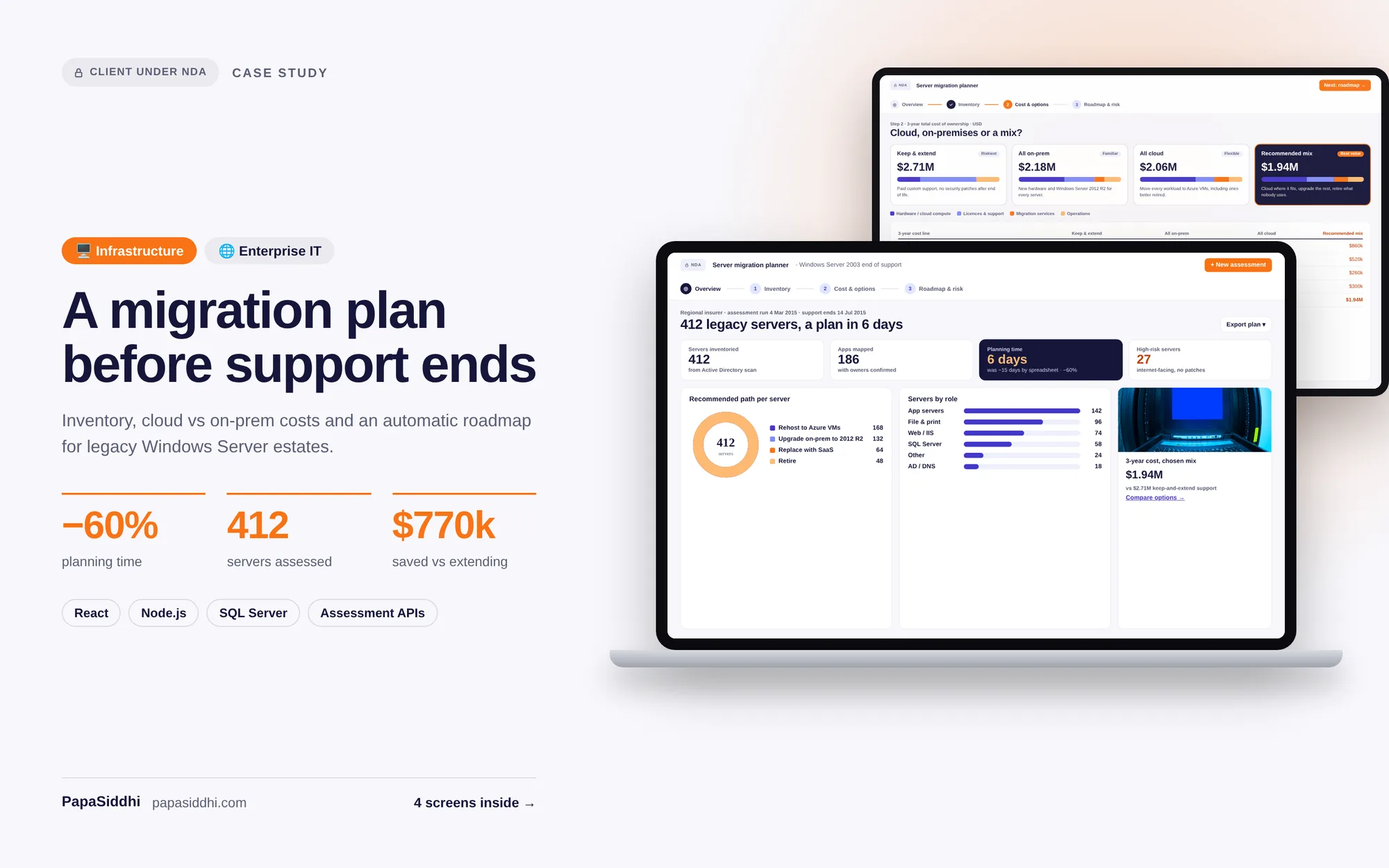
Used by enterprise IT teams across multiple countries to plan and execute successful migrations.